


Most social media videos fail before the camera even turns on. The problem isn’t gear or budget , it’s skipping the thinking that happens before you shoot. This guide walks you through each stage of social media video creation so your content actually reaches people and moves them to act.
Step 1: Define Your Goal and Choose the Right Platform
Every video needs one job. Not three. One. Are you trying to get new followers, drive traffic to your site, or show off a product? Write that goal in one sentence before you open any app or camera.
Once you know your goal, match it to the right platform. Each one has a different audience and a different content culture. Instagram Reels rewards visually polished clips. YouTube favors longer, search-driven content. LinkedIn works for professional commentary and behind-the-scenes brand stories. And if you’re targeting younger audiences, short punchy videos on platforms built around vertical formats tend to outperform everything else.
Your goal should directly shape which platform you prioritize. A product demo works well on YouTube because viewers there want detail. A quick brand moment works better on Instagram where attention is short. Don’t try to be everywhere at once early on , pick one or two platforms, do them well, and expand later.
Platform choice also affects specs. According to Wikipedia’s entry on image aspect ratios, the 9:16 vertical format has become the standard for mobile-first video consumption, which is why most short-form platforms default to it. Shooting in 9:16 from the start saves you a painful crop later.
If you’re running paid amplification alongside your organic videos, it pays to think about that now , your goal determines whether you need a call-to-action overlay, a specific video length, or a particular hook style. Running paid social media advertising alongside organic content can dramatically extend how many people actually see the video you worked hard to make.
By now you should have one clear goal and one primary platform selected. That’s your foundation.
Step 2: Plan Your Video Content Before You Hit Record

Planning is where most brands cut corners , and where most videos fall apart. A script or storyboard doesn’t need to be Hollywood-level. It just needs to answer three questions: What does the viewer see first? What’s the one thing they should take away? And what do you want them to do next?
Write a loose script for any video over 30 seconds. For shorter clips, a three-line outline works fine. Map it like this:
- Opening (0-3 seconds): The hook. A bold statement, a question, or a surprising visual.
- Middle (3 seconds to near the end): The substance. Show the thing, explain the thing, or tell the story.
- Close (last 3-5 seconds): The action. Follow, visit, comment, share , pick one.
This structure works because it mirrors how people actually watch video on social. They decide whether to keep watching in the first two or three seconds. If the middle delivers on the hook’s promise, they stay. The close only matters if you’ve earned their attention by then.
Think carefully about your thumbnail or cover frame too. On most platforms, the first frame of your video shows as the preview in feed before someone taps play. A text overlay or a strong facial expression in that frame can double your tap-through rate without any extra shooting.
At SocialBinge, our content team treats the planning stage as non-negotiable. We build a brief for every video we make , even a 15-second one , because a brief forces clarity on what the video is actually for. If you want to see what thoughtful creative direction for social media looks like in practice, that work starts here, in the planning document.
By the time you’re done with this step, you should have a written outline, a clear hook, and a defined call-to-action. Now you’re ready to shoot.
Step 3: Set Up Your Shoot — Equipment and Environment
You don’t need expensive gear to make good social videos. You do need to control two things: light and sound. Everything else is secondary.
Light is the biggest factor in how professional a video looks. Natural light from a window works well if you position it in front of you (not behind you, which silhouettes your face). If you’re shooting indoors consistently, a basic ring light or a softbox gives you consistent, flattering light that doesn’t change with the weather or time of day.
Sound matters even more than image quality. Viewers will tolerate a slightly soft image. They won’t stick around for muffled or echoey audio. A clip-on lavalier microphone costs very little and makes a dramatic difference. Film in a room with soft furnishings , rugs, curtains, a couch , rather than a bare tile or concrete space, which adds echo.
For your camera, a recent smartphone in good light is genuinely sufficient for most social platforms. The cameras on modern phones shoot in resolutions that exceed what most platforms serve back to viewers anyway. A tripod or a cheap phone grip keeps the frame stable, which matters a lot for talking-head or product videos.
Think about your background. It doesn’t need to be a studio. But it should be intentional. A clean wall, a bookshelf, or a branded backdrop all look more professional than a cluttered desk or a random doorframe. The background is part of the message , it tells viewers something about who you are before you even speak.
One often-skipped step: do a 30-second test recording before you shoot for real. Play it back with headphones. You’ll catch audio problems , a humming air conditioner, traffic outside, a phone notification , before they ruin a full take.
Step 4: Shoot Video That Holds Attention in the First 3 Seconds
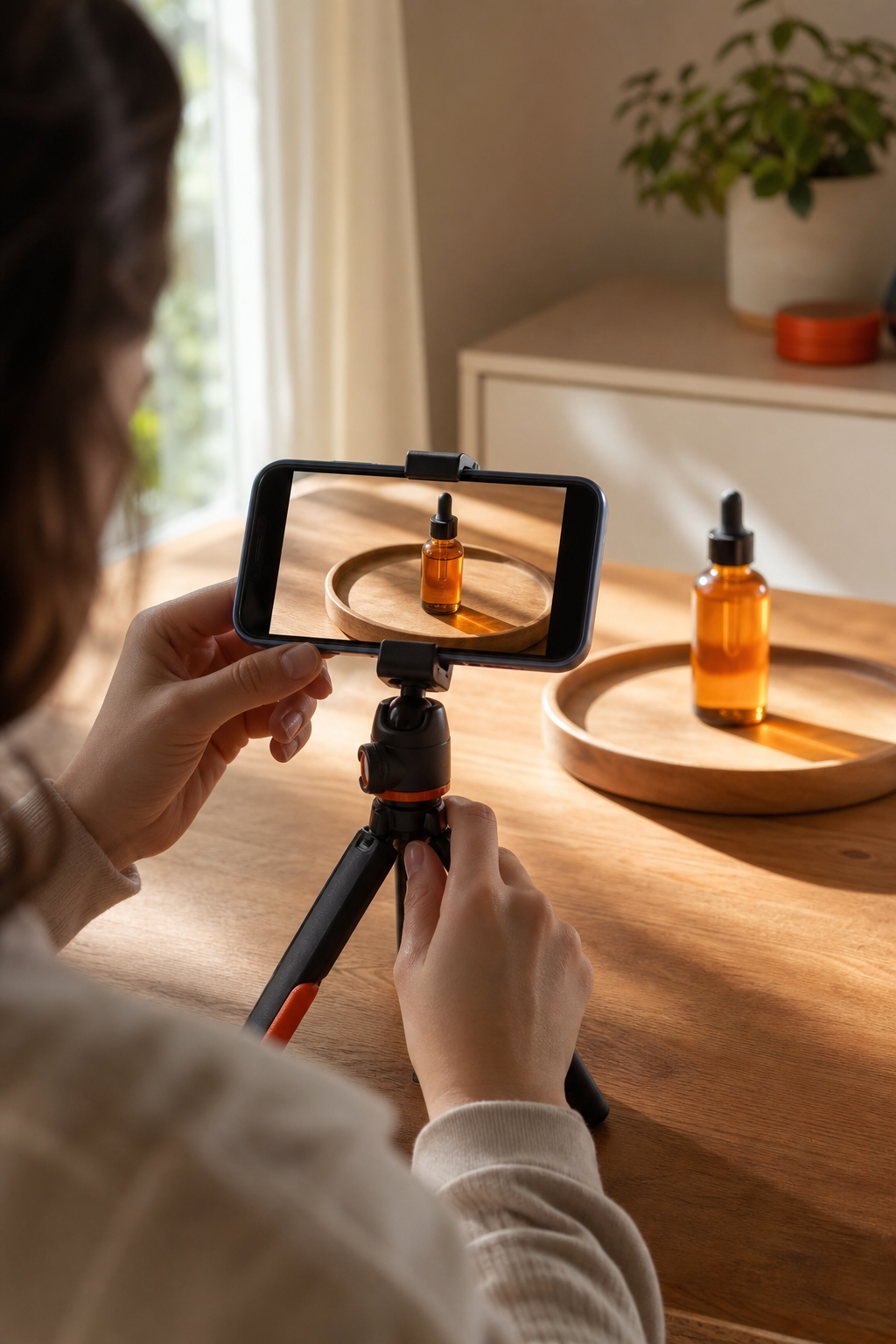
The first three seconds of your video are the only ones that are guaranteed. Every second after that is earned. So the opening shot is your most important creative decision.
Start mid-action, not with a slow pan or a logo animation. Show something happening. Ask a question that creates instant tension. Make a claim that the viewer wants to see proven. Or open with an unexpected visual that doesn’t make sense until the next shot explains it.
A few opening approaches that consistently work:
- A close-up on something unexpected, then zoom out to reveal context
- A direct, conversational address: “Here’s why your videos aren’t getting views”
- A before/after split in the first two seconds
- Text on screen that teases what’s coming: “Wait for the end”
Keep the camera moving early. Static shots read as slower on social feeds. A slow push-in, a handheld walk, or even just cutting to a different angle in the first five seconds signals energy and keeps the viewer’s eye busy.
Pace matters throughout the whole video, but especially in the first half. If you’re talking to camera, cut out every pause and filler word in post. If you’re showing a process, speed up the dull sections. Watch your video back on mute , if it still tells a story visually, you’re in good shape. If it looks like a static talking head with no visual variation, it needs more cuts.
One more thing worth saying: authenticity reads better than perfection on social. A slightly imperfect video that feels real and direct will outperform a polished one that feels scripted and stiff. You’re not making a TV commercial. You’re having a conversation in someone’s feed.
Step 5: Edit for Each Platform’s Format and Audience
Raw footage is just material. Editing is where the actual video gets made. And editing for social is different from editing for any other medium , speed, format, and captions all change depending on where the video lives.
Here’s a quick reference for the specs that matter most:
Captions are non-negotiable across every platform. A large share of social video is watched without sound , in offices, on public transport, in waiting rooms. If your video requires audio to make sense, you’re losing a significant portion of your potential audience. Add captions in post, and check them manually. Auto-generated captions are often wrong on names, technical terms, and product names.
Keep your edit pace tight. On short-form platforms, cut every shot that runs longer than three or four seconds unless it’s building genuine tension. On longer videos, vary your shot types , talking head, cutaway, text on screen, close-up , so the visual rhythm gives the viewer’s eye something new every few seconds.
For brands working across multiple platforms, the most efficient workflow is to shoot in 9:16 vertical first, then crop to 1:1 for square formats. Going the other direction (horizontal to vertical) usually crops out important parts of the frame.
If you’re producing video at any real volume, working with a specialist team saves a lot of back-and-forth. At SocialBinge, we handle platform-specific formatting as part of the production workflow , so a video produced for Reels gets properly adapted for LinkedIn without the brand having to manage two separate edits. You can see more about how we approach this in our work on social media marketing services in India.
Step 6: Publish, Caption, and Optimise for Discovery
Publishing is not the finish line. What you write around the video , the caption, the hashtags, the thumbnail text , affects how many people see it. Most platforms use early engagement signals to decide whether to push a video to a wider audience. So the first 30-60 minutes after posting matter a lot.
Write your caption before you publish, not after. A strong caption does two things: it gives context to people who need it before they tap play, and it gives the platform’s algorithm text to read so it can categorise and distribute the video correctly. For short-form video, a caption of two or three sentences plus a clear call-to-action is usually enough. For YouTube, your description should be more detailed , 150 to 300 words , because YouTube is also a search engine and your description affects how the video ranks.
Hashtags help on Instagram and LinkedIn but have diminishing returns if you pile on too many. Three to five specific, relevant hashtags tend to outperform twenty generic ones.
Thumbnails matter enormously on YouTube and Facebook. A custom thumbnail with a human face, a readable text overlay, and strong contrast performs better than a random auto-generated frame. According to YouTube’s Creator Academy, 90% of the best-performing videos on the platform use a custom thumbnail. That’s the kind of marginal improvement that compounds over a full content calendar.
Post at times when your audience is actually online. Most platform analytics show you when your followers are most active , use that data rather than posting at whatever time is convenient for you. For most B2B audiences on LinkedIn, mid-morning on weekdays works well. For Instagram and consumer-facing brands, evenings and weekends often see higher engagement.
Respond to comments within the first hour of posting. Early comment activity tells the algorithm the video is generating conversation, which pushes it to more feeds. This is especially important on platforms where organic reach is tight. If you’re working with an agency like YouTube marketing specialists for channel growth, they’ll typically have a community management process built into the first hour post-launch for exactly this reason.
FAQ
What equipment do I need to start making social media videos?
A smartphone with a decent camera, a basic tripod, and a clip-on microphone are enough to start. The most important investment is lighting , a ring light or natural window light makes a bigger visual difference than upgrading to a dedicated camera. Don’t let gear be the reason you delay starting. Consistency and content quality matter far more than equipment spec.
How long should a social media video be?
It depends on the platform. For Instagram Reels and short-form video, 15 to 60 seconds is the sweet spot. For YouTube long-form, 8 to 20 minutes tends to perform well in search. The universal rule: make it only as long as it needs to be. Cut anything that doesn’t add value or move the story forward. Viewers leave the moment a video stops earning their attention.
Do I need captions on every video?
Yes. A large portion of social video is watched without sound, especially on LinkedIn, Instagram, and Facebook. Without captions, you’re losing viewers who can’t or won’t turn on audio. Most editing tools generate captions automatically, but always check them manually. Auto-generated captions frequently get names, brands, and technical terms wrong, which can undermine your message or look unprofessional.
How often should I post videos on social media?
Consistency beats volume. One well-planned video per week is more effective than five rushed ones. Start with a pace you can sustain without burning out, then scale up as your workflow matures. Most platforms reward accounts that post regularly over time rather than those that post in bursts and then go quiet for weeks.
Should I repurpose the same video across all platforms?
Repurposing is smart, but direct reposting rarely works. Each platform has different aspect ratios, caption conventions, and audience expectations. A vertical Reel needs to be reformatted for LinkedIn’s square feed. A YouTube long-form video can become three or four short clips. Adapt the content to fit the platform rather than just copying the file across accounts.
When does it make sense to work with a video content agency?
When the time and skill needed to produce consistent, platform-ready video exceeds what your team can manage internally, an agency makes sense. If you’re producing video for multiple platforms, managing captions, thumbnails, and posting schedules, and trying to track performance , that’s a full-time job. A team like SocialBinge handles the whole workflow so you can focus on the business itself.
Conclusion
Good social media video creation starts with a goal, runs through a plan, and gets better with every iteration. You don’t need a big budget or a film crew. You need clarity about what you’re making, who it’s for, and what you want them to do. If you’d rather hand the whole process to a team that does this daily, SocialBinge is here for that , reach out and we’ll show you what a proper video content strategy looks like for your brand.