


LinkedIn is the best place to find B2B leads. But sending random connection requests won’t work. You need a real plan. Here’s a step-by-step guide to generate quality leads on LinkedIn in 2026.
Step 1: Optimize Your LinkedIn Profile for Lead Generation
Your profile is your landing page. If it doesn’t look professional, people won’t connect with you. Start with a clear headshot and a background image that reflects your industry. Your headline should say what you do and who you help, not just your job title.
Write a summary that speaks to your ideal client. Use bullet points to list the problems you solve. Add a call to action , something like “Message me if you need help with X.” Make sure your contact info is easy to find.

Don’t forget to fill in your experience section with keywords your prospects search for. Join relevant LinkedIn groups and follow target companies. According to Wikipedia, LinkedIn has over 930 million members, so a polished profile helps you stand out.
If you need help refining your profile, SocialBinge offers social media management services that include profile optimization. Check out their digital marketing services to see how they can help.
Step 2: Create a Content Strategy That Attracts Decision Makers
People follow accounts that give them value. Share insights, case studies, and industry trends. Post at least three times a week. Use a mix of text posts, images, and short videos.
Focus on topics that matter to your buyers. Ask questions to start conversations. Engage with comments quickly. When you comment on others’ posts, add value , don’t just say “Great post.”
To kickstart your content engine, consider working with a professional agency. SocialBinge creates content strategies that align with business goals. They also help with paid social advertising, which you can learn more about on their paid social media advertising page.
Step 3: Build and Nurture Your Network Strategically
Don’t add everyone. Focus on decision makers in your target industries. Use LinkedIn’s search filters to find people by job title, company, and location. Send a personalized connection request , mention a common interest or compliment their work.
After they accept, start a conversation. Ask about their challenges. Share a relevant article. Don’t pitch right away. The goal is to build trust.
Use LinkedIn’s “Save to list” feature to organize contacts. Check in with them every few months. A simple “How’s business?” can rekindle the relationship.
Step 4: Use LinkedIn Sales Navigator for Targeted Outreach
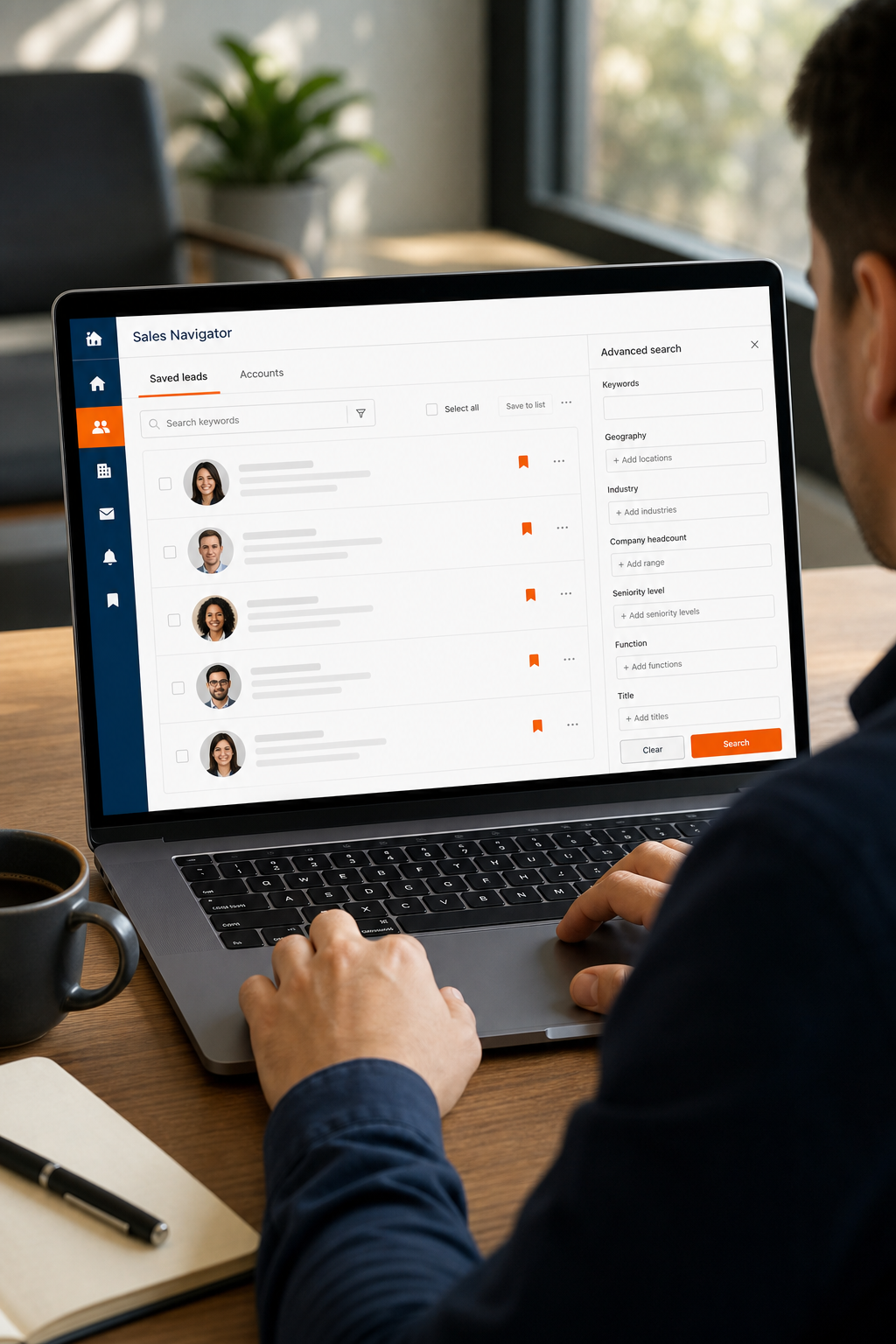
Sales Navigator is worth the investment for serious lead generation. It gives you advanced filters like company size, seniority, and geography. You can save leads and accounts, and get real-time updates on job changes.
Use the Lead Recommendations feature to find similar contacts. Create lead lists based on your ideal customer profile. Then reach out with a custom message based on their interests. According to LinkedIn’s official Sales Navigator page, users see up to 2x more engagements.
But remember: Sales Navigator is a tool, not a magic wand. You still need a good message and a solid profile to convert leads.
Step 5: Craft Personalized Outreach Messages That Convert
Generic templates get ignored. Take time to research each prospect. Look at their recent posts or shared content. Mention something specific in your message.
Keep it short. State who you are, why you’re reaching out, and what value you offer. End with a low-friction ask: “Would you be open to a 10-minute chat?”
Follow up twice if you don’t hear back. Use different angles each time. But never spam. If they say no, thank them and move on.
SocialBinge‘s team can help draft outreach sequences that get replies. They understand B2B communication and can tailor your approach.
Step 6: Measure and Refine Your Lead Generation Efforts
Track what works. Use LinkedIn’s analytics to see which posts get the most engagement. Monitor your connection acceptance rate and reply rate.
If a message template gets ignored, change it. If a certain type of post gets no interaction, stop posting it. A/B test your headlines and calls to action.
Set monthly goals: number of new connections, conversations, and qualified leads. Review your progress and adjust your strategy. For a broader marketing strategy, you might explore complementary services like SEO. Check out monthly SEO services to drive organic traffic alongside LinkedIn efforts.
Frequently Asked Questions
How long does it take to see results from LinkedIn lead generation?
Most people start seeing conversations within 2-4 weeks if they post consistently and send personalized messages. Pipeline deals may take 1-3 months to close.
Should I use LinkedIn automation tools?
Automation tools can speed up outreach but risk account restrictions. Use them cautiously. Manual, personalized outreach often yields better quality leads.
What’s better: LinkedIn Sales Navigator or free version?
Sales Navigator gives you advanced filters and real-time alerts, making it much easier to find the right people. For serious B2B lead gen, it’s worth the subscription.
How do I measure success on LinkedIn?
Track profile views, connection requests, message replies, and meetings booked. LinkedIn’s analytics and Sales Navigator’s reporting can help.
Can LinkedIn work for very niche B2B industries?
Yes. Even small industries have decision makers on LinkedIn. Use precise search filters and join industry-specific groups to connect.
Conclusion
LinkedIn B2B lead generation works when you follow a process. Optimize your profile, share valuable content, build real relationships, use the right tools, and measure everything. Start with step one today. And if you want expert help, consider partnering with SocialBinge to accelerate your results.